
Ending a game
A game ends when someone empties their rack and the bag, or when the table agrees to stop. scrabbleTracker walks through both cases in two steps and writes the final scores.
Open End game
Tap End game in the sidebar on the live tracker page. The dialog opens with the first question:
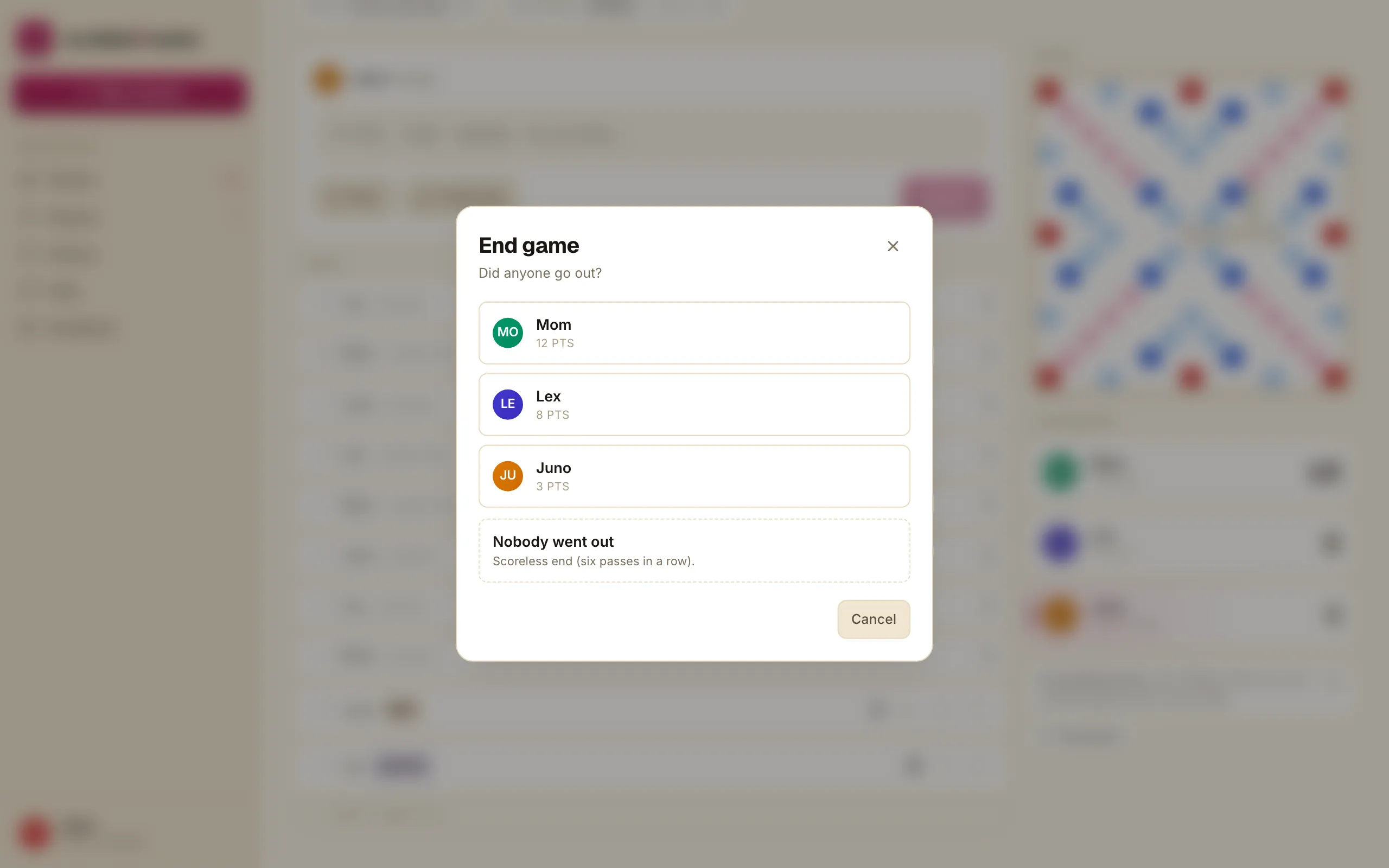
Step 1 — Did anyone go out?
Three answers:
- Tap a player whose rack went empty first.
- Tap “Nobody went out” if no one emptied their rack — typically what happens after a six-scoreless end.
The choice changes how step 2 computes adjustments, so pick honestly.
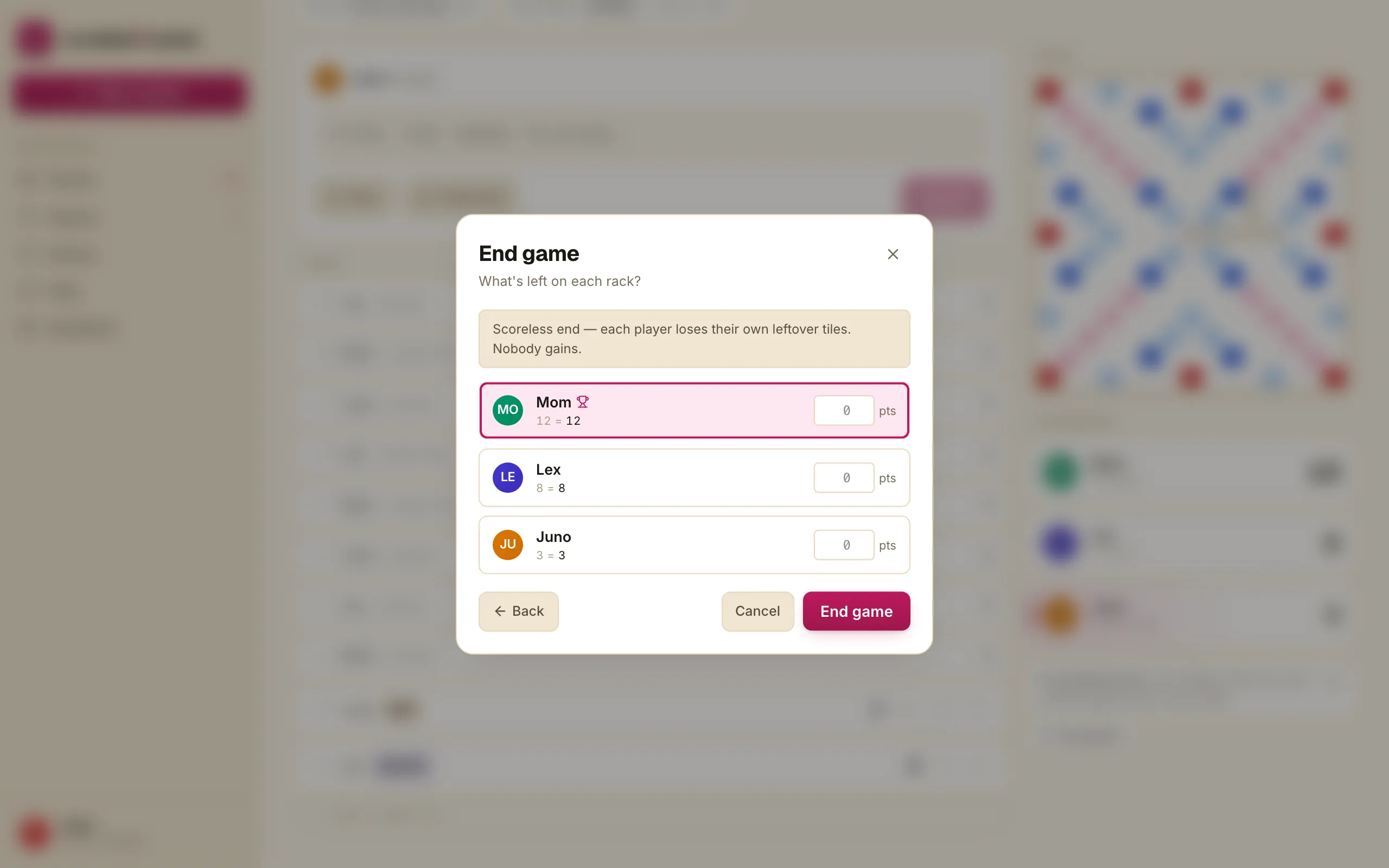
Step 2 — What’s left on each rack?
For each player who didn’t go out, type the point value of the tiles still on their rack. Blank tiles count as 0. The dialog shows a running total and the deltas it will apply:
How the adjustment math works
Official Scrabble end-game math, encoded:
If someone went out:
- The player who went out gains the sum of every opponent’s leftover tiles.
- Each opponent loses their own leftover total.
If nobody went out:
- Every player loses their own leftover total.
scrabbleTracker computes the deltas, shows you the projected final totals before you commit, and only writes them when you tap Finish game.
What happens after
The game flips to Final status. The winner gets a small crown badge on every page. The turn log freezes; you can no longer add or edit turns. The game appears in History and the players’ records update in Players & stats.
If something looks wrong after the fact — the wrong player marked out, a leftover typo — the only fix is the same workflow you’d run on a paper scoresheet: replay through the game and re-finalise. That’s a deliberate constraint: an end-of-game adjustment is the most consequential write in the app, and reversing it silently isn’t worth the risk.