
History
History is every game you’ve recorded, with the long view on top.
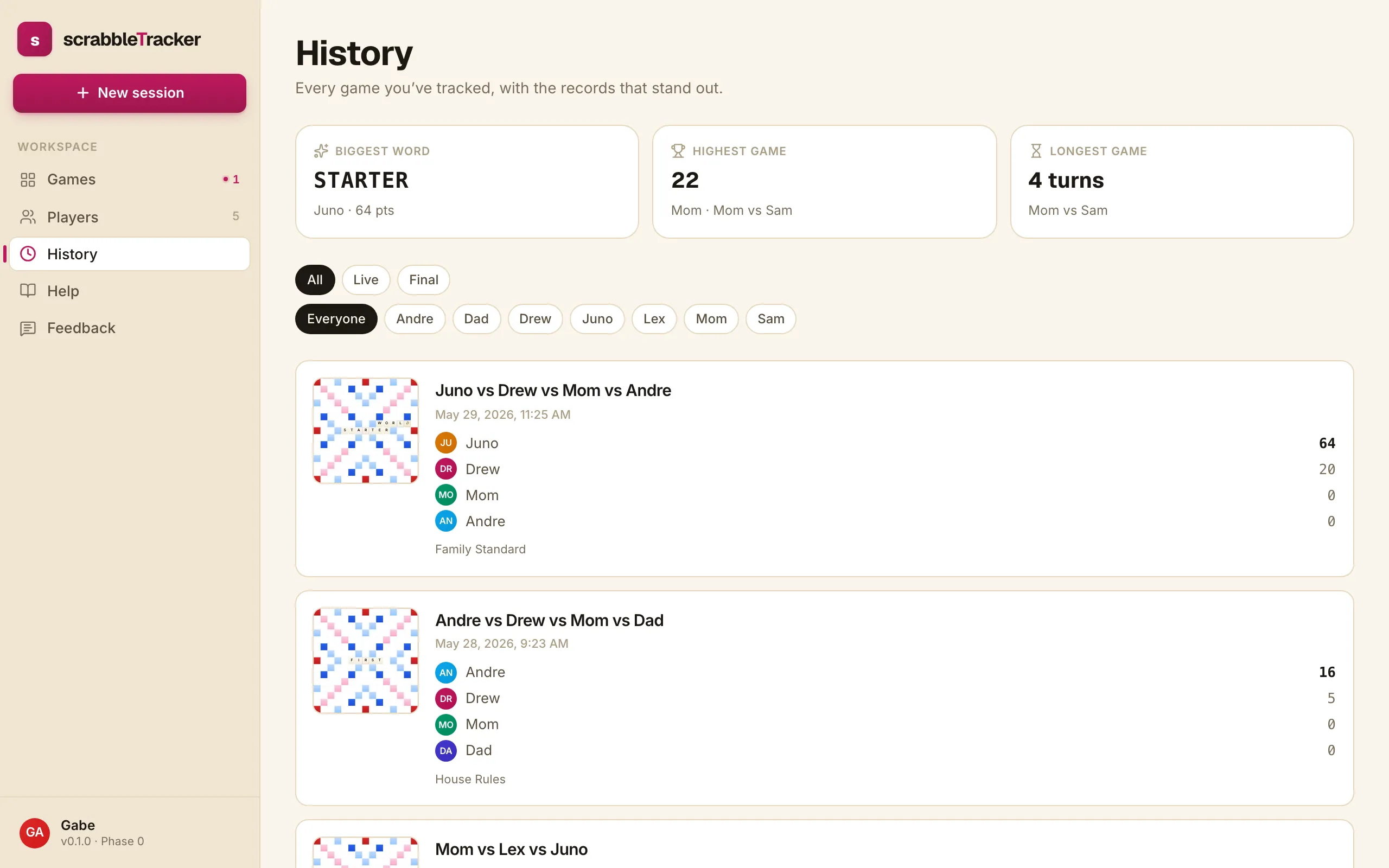
Highlights strip
The top of the page surfaces three records across everything you’ve ever played:
- Biggest word — the highest-scoring single word, who played it, and in which game.
- Highest game — the highest final score by any player in any game.
- Longest game — the game with the most turns.
Each is a link straight into the game where it happened, so you can read the context.
Filters
The filter bar narrows the list. Filter by:
- Player — only games this person played in
- Status — Live, Final, or both
Filters combine — pick “Mom” plus “Final” to see every finished game Mom was in.
Game cards
Each card shows:
- Headline — the participants (“Mom vs Lex vs Juno”)
- Date — when the game was started
- Player avatars + final scores — winner gets a small crown badge
- Ruleset name — the ruleset that was snapshotted onto the game, which is what it scored under (see House rules)
Tap any card to open the game’s read-only detail page. From there you can replay the turn log, see the final board, and read the per-turn scoring breakdown.
Live vs final games
Live games show a small TRACKING chip on their card and stay near the top of the list (sorted by last activity). Final games sort by end date; the most recently finished is highest.
What’s not here yet
- Export. A “download my data” button is planned for the Settings page. Until then, the History page is the long view.
- Search. History today is filter-only; full-text search is on the list.