
Players & stats
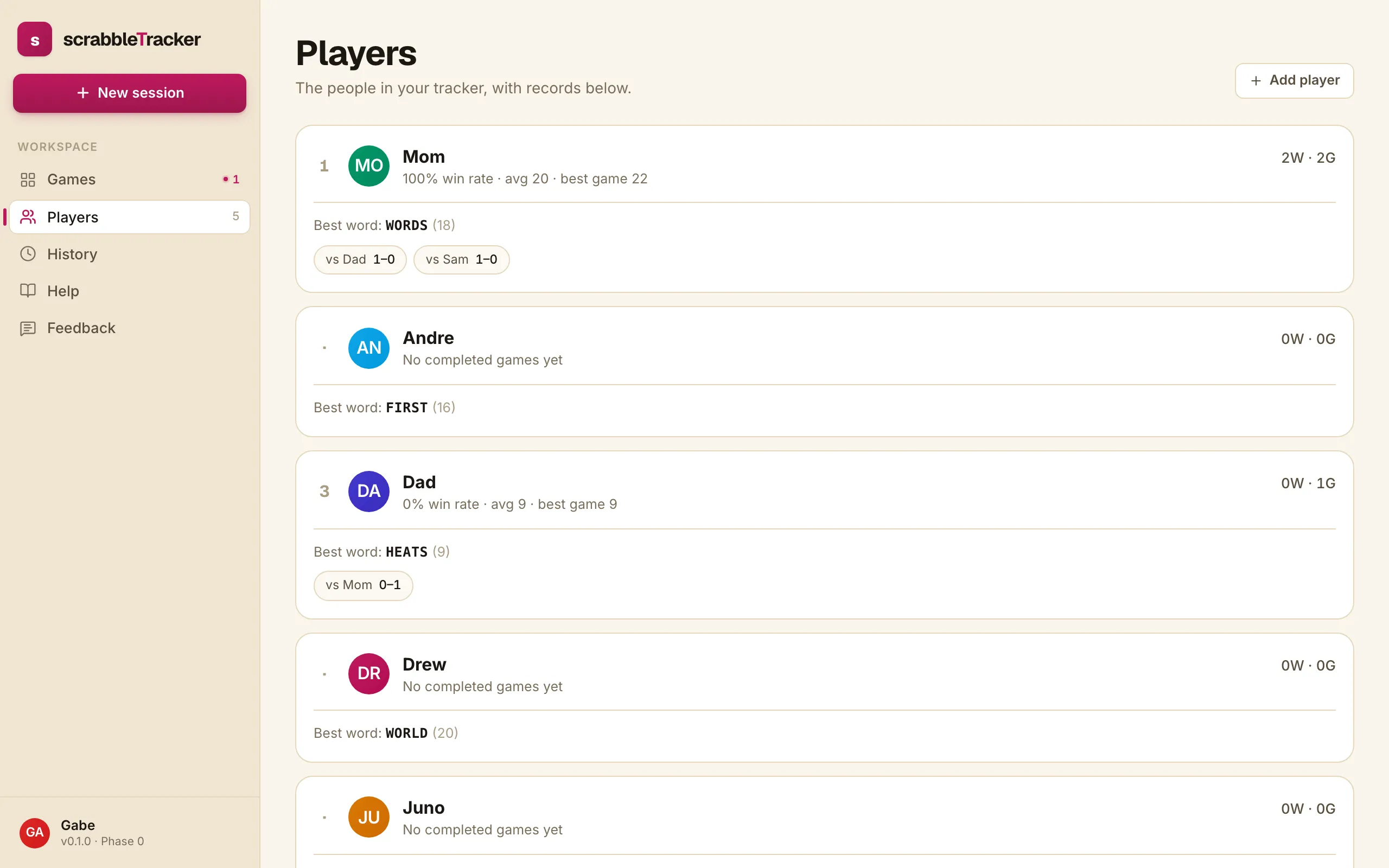
The Players page is the people in your tracker, with a leaderboard underneath. Open it from the sidebar.
Add a player
Tap + Add player at the top right. A small inline form opens; type a display name and hit Enter (or tap Add). The new player shows immediately as a zero-record card and is available in the New session roster from then on.
Names are case-insensitive unique. Trying to add “Mom” when Mom already exists shows a friendly error.
How the leaderboard ranks
The list orders by wins descending, then alphabetically. Players who haven’t completed a game yet appear at the bottom with a ”·” instead of a rank number and the line “No completed games yet”.
What each metric means
A player card shows:
- Rank (left) — Position in the win-count order. ”·” if they haven’t completed a game.
NW · NG(right) —winsandgames_played. A 4W·12G means four wins out of twelve completed games.- Win rate —
wins / games_playedas a percentage. - avg — Average final score across completed games. A rough sense of how high they typically score; not normalised for opponent count.
- best game — Highest final score they’ve achieved in a single game.
- Best word — The highest-scoring word they’ve ever played, followed by the points. The font is monospace so the word reads as what was put down on the board.
- vs Opponent N–N — Head-to-head record against each player they’ve played. Only opponents with at least one shared game show.
What’s not here yet
The current Players page is add-only. Renaming a player and removing one are planned for a future Settings page. Until then, the workaround is to add the new name and stop using the old one going forward.
Cross-club profiles — a tournament player whose record follows them between clubs — are something we’re researching. Not built today.