
Entering a turn
Every turn is the same three actions: type the word, confirm where it landed, submit. The app handles scoring (premiums, bingos, hooks) and queues the next player automatically.
Type the word
The active player’s avatar and name appear above the input. Type the word they just played, including any tiles already on the board the new word builds off of.
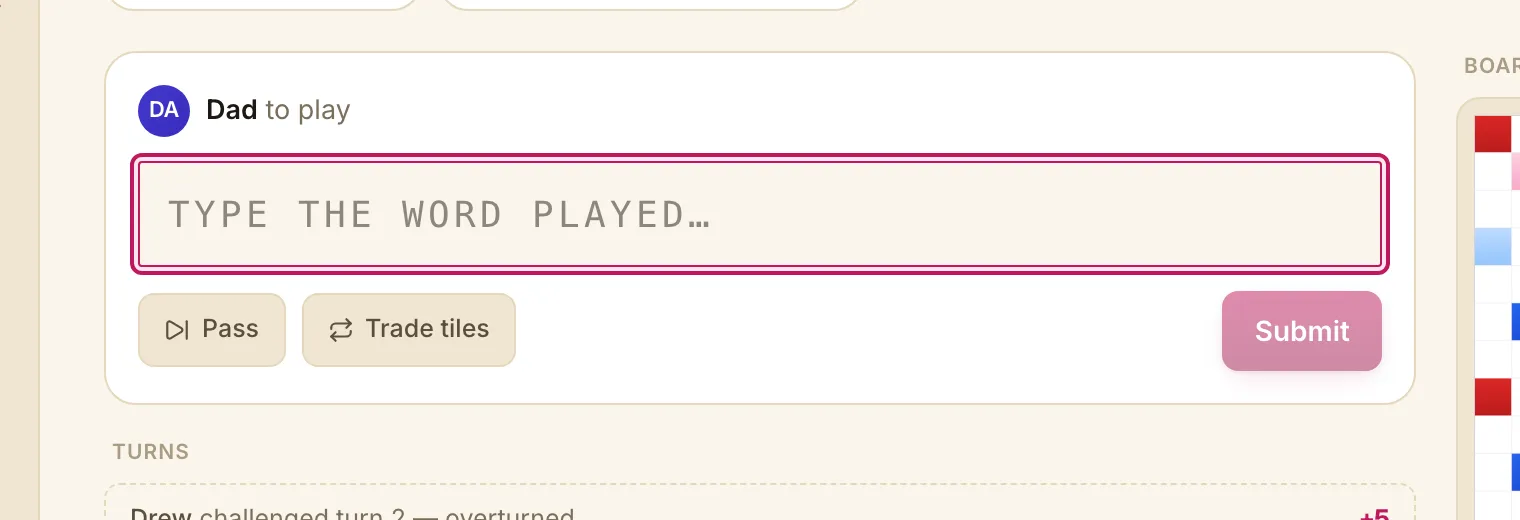
The input is forgiving about case and whitespace. Two letters or fewer? The app waits for more before guessing.
Mark any blank tiles
If the word includes a blank, tap the letter that the blank stood in for. The square turns into a small badge on the tile row. Blank tiles score zero points, even on premium squares.
Where did it land?
scrabbleTracker reads the existing board and guesses every legal placement of the typed word. Tap the one that matches what’s actually on the board:
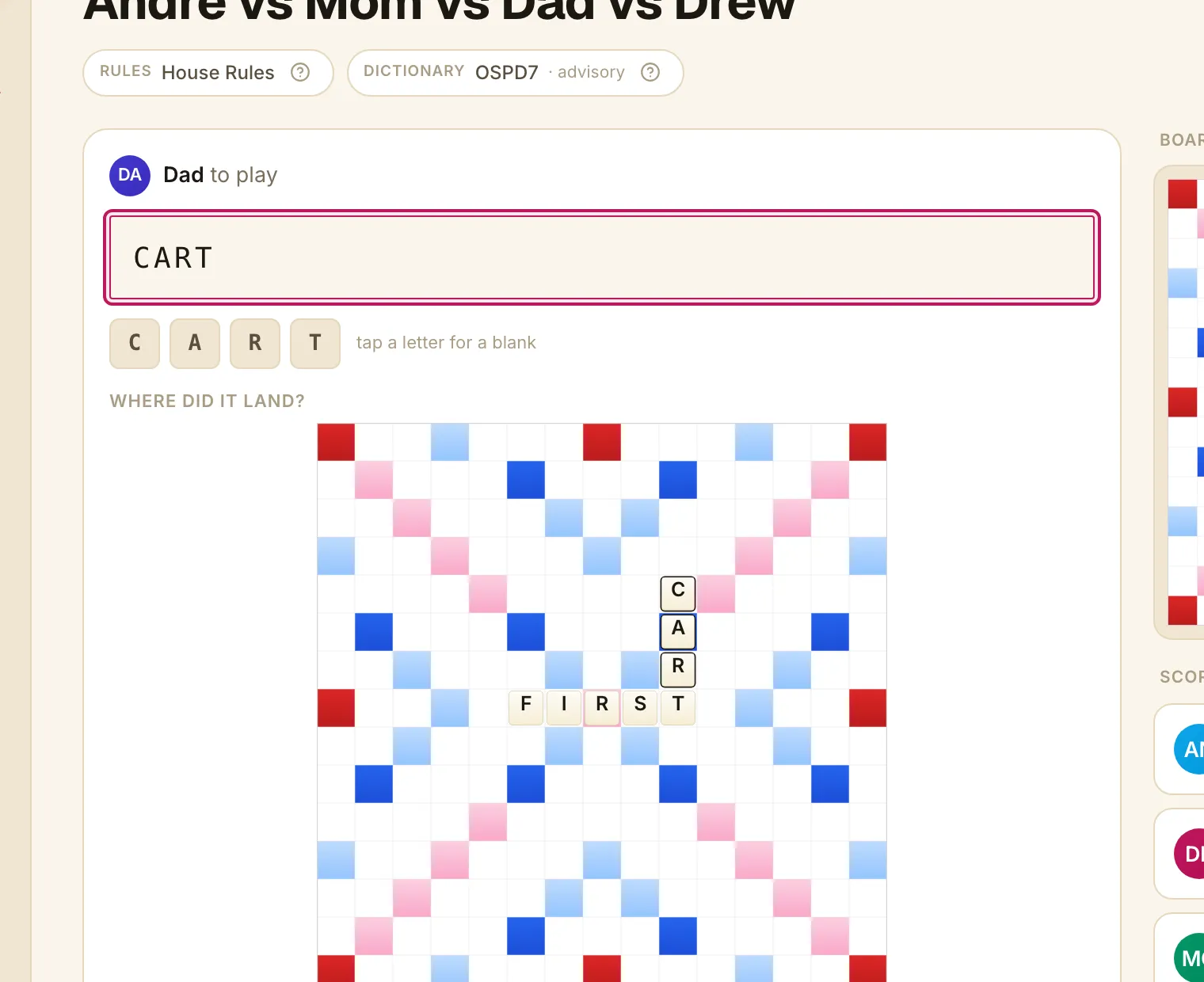
Each suggestion shows the tiles that would be newly placed (the existing letters stay quiet). If only one suggestion exists, the app picks it for you.
Manual placement
Sometimes the auto-guess doesn’t match — the word isn’t in the dictionary, or the placement is unusual (a hook that no engine would think of). Tap placed somewhere else? tap to place it to drop into manual mode. Tap each new tile onto its square; the app scores from your taps.
The ”?” hint next to the section header explains when to use it. To return to the auto-guesses, use Back to suggestions at the top right of the manual block.
Submit
Tap Submit. The app computes the score, appends the turn to the log, and advances to the next player.
The turn appears in the turn log below with its final score, ready for the next play.
Editing or undoing
Each played turn has a small pencil and undo icon on hover. Use Undo last turn to back out the most recent play (only available on the last play); use Edit to correct an earlier turn — the app will cascade-supersede any later turns that depended on it and ask for confirmation before applying.
See Challenges for the dispute path, and Passes and trades for the no-score turns.