
Record your first game
This walkthrough takes you from cold start to recording your first turn. You’ll need a real Scrabble board, real tiles, and people to play with. scrabbleTracker handles the scoresheet.
Open New session
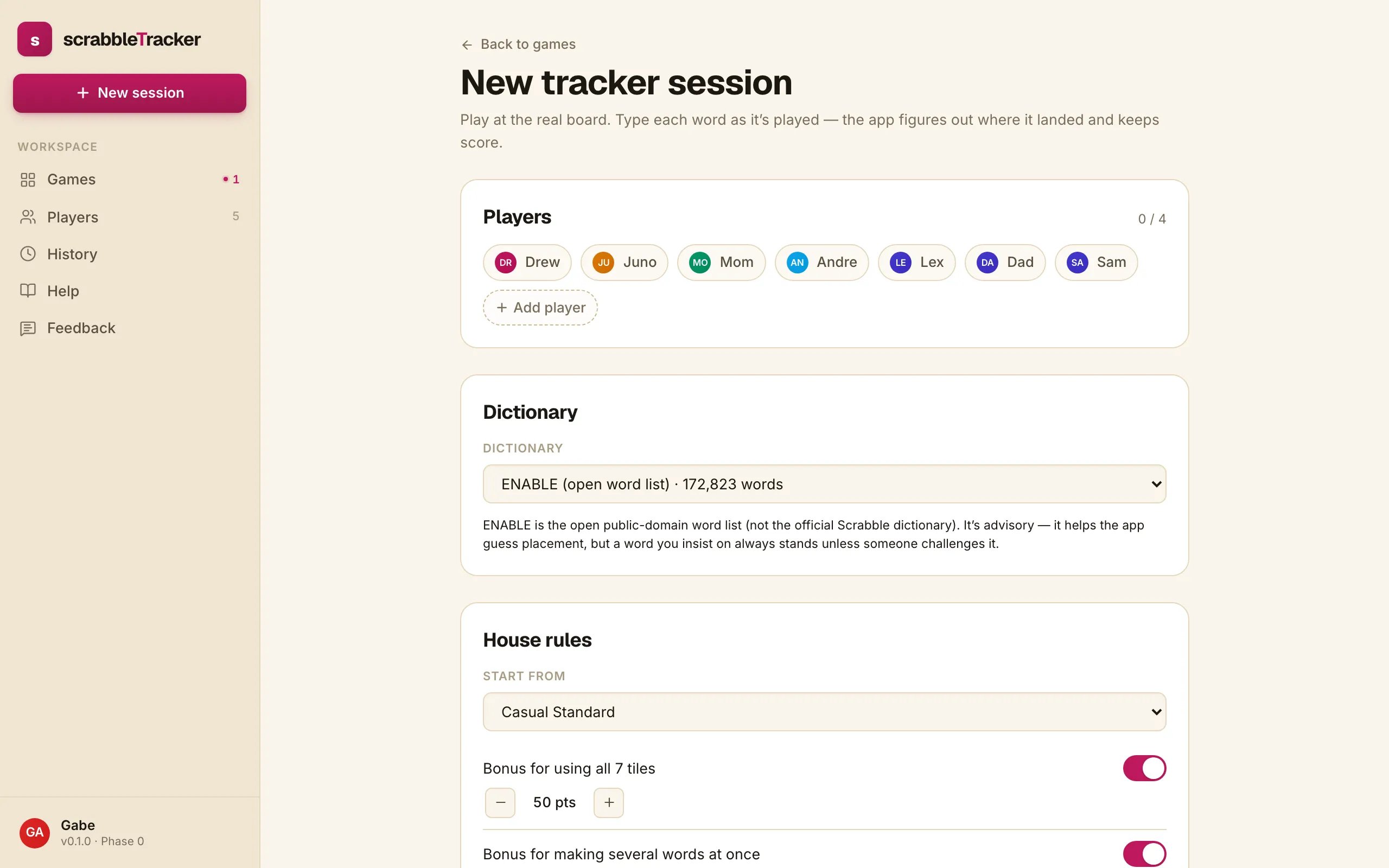
From any page in the app, tap + New session in the sidebar. The form is one screen long and asks four questions: who’s playing, which board, which rules, which dictionary.
Pick the players
Tap each person who’s playing tonight. The roster lists everyone added to the tracker; if a player is missing, use + Add player to drop them in by name before continuing.
Two to four players. The roster works equally well for a kitchen-table duo and a four-handed club night.
Pick the rules
Four built-in rulesets ship with the tracker:
| Ruleset | Bingo bonus | Challenge penalty |
|---|---|---|
| Casual Standard | 50 | none (free challenges) |
| House Rules | configurable | configurable |
| International Tournament | 50 | 5-point penalty for a wrong challenge |
| North American Tournament | 50 | turn loss for a wrong challenge |
Pick the one that matches how your table plays. The choice is fixed at game-start and snapshotted onto the game — editing the preset later won’t rescore this game. See House rules for what each rule does and how to save your own.
Pick the dictionary
scrabbleTracker ships with ENABLE (a public-domain word list) by default, and supports adding OSPD7 or custom dictionaries as a private user. Either can be set to:
- Advisory — any word can be played; the dictionary just helps the app guess placement. Disputes settle by challenge at the table.
- Enforced — words must be in the dictionary to be entered.
See Dictionaries for the details.
Start the game
Tap Start session. You’re now on the live tracker page. The first player to play is whoever you decided at the table — usually settled by a tile draw or a coin flip. The active player’s avatar shows in the turn-entry card.

You’re ready. The next page covers Entering a turn — the single most common action you’ll perform.